Since you are just interested in the ranking, not the actual distance, you could also consider skipping the sqrt. This gives the same ranking, but will be a little faster.
Acerola worked a bit on this in 2024[1], using edge detection to layer correctly oriented |/-\ over the usual brightness-only pass. I think either technique has cases where one looks better than the other.
Bravo, beautiful article! The rest of this blog is at this same level of depth, worth a sub: https://alexharri.com/blog
> It may seem odd or arbitrary to use circles instead of just splitting the cell into two rectangles, but using circles will give us more flexibility later on.
I still don’t really understand why the inner part of the rectangle can’t just be split in a 2x3 grid. Did I miss the explanation?
Not to take away from this truly amazing write-up (wow), but there's at least one generator that uses shape:
https://meatfighter.com/ascii-silhouettify/
See particularly the image right above where it says "Note how the algorithm selects the largest characters that fit within the outlines of each colored region."
There's also a description at the bottom of how its algorithm works, if anyone wants to compare.
Taking into account the shape of different ASCII characters is brilliant, though!
It reminds me of how chafa uses an 8x8 bitmap for each glyph: https://github.com/hpjansson/chafa/blob/master/chafa/interna...
There's a lot of nitty gritty concerns I haven't dug into: how to make it fast, how to handle colorspaces, or like the author mentions, how to exaggerate contrast for certain scenes. But I think 99% of the time, it will be hard to beat chafa. Such a good library.
EDIT - a gallery of (Unicode-heavy) examples, in case you haven't seen chafa yet: https://hpjansson.org/chafa/gallery/
Here's a copy-paste snippet where you can try chafa-ascii-fying images in your own terminal, if you have uvx:
  uvx --with chafa-py python -c '
  from chafa import *
  from chafa.loader import Loader
  import sys
  img = Loader(sys.argv[1])
  config = CanvasConfig()
  config.calc_canvas_geometry(img.width,img.height,0.5,True,False)
  symbol_map = SymbolMap()
  symbol_map.add_by_tags(SymbolTags.CHAFA_SYMBOL_TAG_ASCII)
  config.set_symbol_map(symbol_map)
  config.canvas_mode = CanvasMode.CHAFA_CANVAS_MODE_FGBG
  canvas = Canvas(config)
  canvas.draw_all_pixels(img.pixel_type,img.get_pixels(),img.width,img.height,img.rowstride)
  print(canvas.print().decode())
  ' \
  myimage.jpg
and damn that article is so cool, what a rabbithole.
Lovely article, and the dynamic examples are :chefs-kiss:
I think there's a small problem with intermediate values in this code snippet:
  const maxValue = Math.max(...samplingVector)

  samplingVector = samplingVector.map((value) => {
    value = x / maxValue; // Normalize
    value = Math.pow(x, exponent);
    value = x * maxValue; // Denormalize
    return value;
  })
It probably has a different looking result, though.
GitHub: https://github.com/symisc/ascii_art/blob/master/README.md Docs: https://pixlab.io/art
How do you arrive at that? It's presented like it's a natural conclusion, but if I was trying to adjust contrast... I don't see the connection.
> Consider how an exponent affects values between 0 and 1. Numbers close to experience a strong pull towards while larger numbers experience less pull. For example 0.1^2=0.01, a 90% reduction, while 0.9^2=0.81, only a reduction of 10%.
That's exactly the reason why it works, it's even nicely visualized below. If you've dealt with similar problems before you might know this in the back of your head. Eg you may have had a problem where you wanted to measure distance from 0 but wanted to remove the sign. You may have tried absolute value and squaring, and noticed that the latter has the additional effect described above.
It's a bit like a math undergrad wondering about a proof 'I understand the argument, but how on earth do you come up with this?'. The answer is to keep doing similar problems and at some point you've developed an arsenal of tricks.
I feel confident stating that - unless fed something comprehensive like this post as input, and perhaps not even then - an LLM could not do something novel and complex like this, and will not be able to for some time, if ever. I’d love to read about someone proving me wrong on that.
Everyone seems now familiar with hallucinations. When a model's knowledge is lacking and it is fine tuned to give an answer. A simplistic calculation says that if an accurate answer gets you 100%, then an answer gets you 50% and being accurate gets you 50%. Hallucinations are trying to get partial credit for bullshit. Teaching a model that a wrong answer is worse than no answer is the obvious solution, turning that lesson into training methods is harder.
That's a bit of a digression but I think it helps explain the difference to why I think a model would find writing an article like this.
Models have difficulty in understanding what is important. The degree to which they do achieve this is amazing, but it is still trained on data that heavily biases their conclusions to the mainstream thinking. In that respect I'm not even sure if it is a fundamental lack in what they could do. It seems to be that they are implicitly made to think of problems as "it's one of those, I'll do what people do when faced with one of those"
There are even hints in fiction that this is what we were going to do. There is a fairly common sci-fi trope of an AI giving a thorough and reasoned analysis of a problem only to be cut off by a human wanting the simple and obvious answer. If not done carefully RLHF becomes the embodiment of this trope in action.
This gives a result that makes the most people immediately happy, without regard for what is best long term, or indeed what is actually needed. Asimov explored the notion of robots lying so as to not hurt feelings. Much of the point of the robot books was to express the notion that what we want AI to be is more complicated than it appears at first glance.
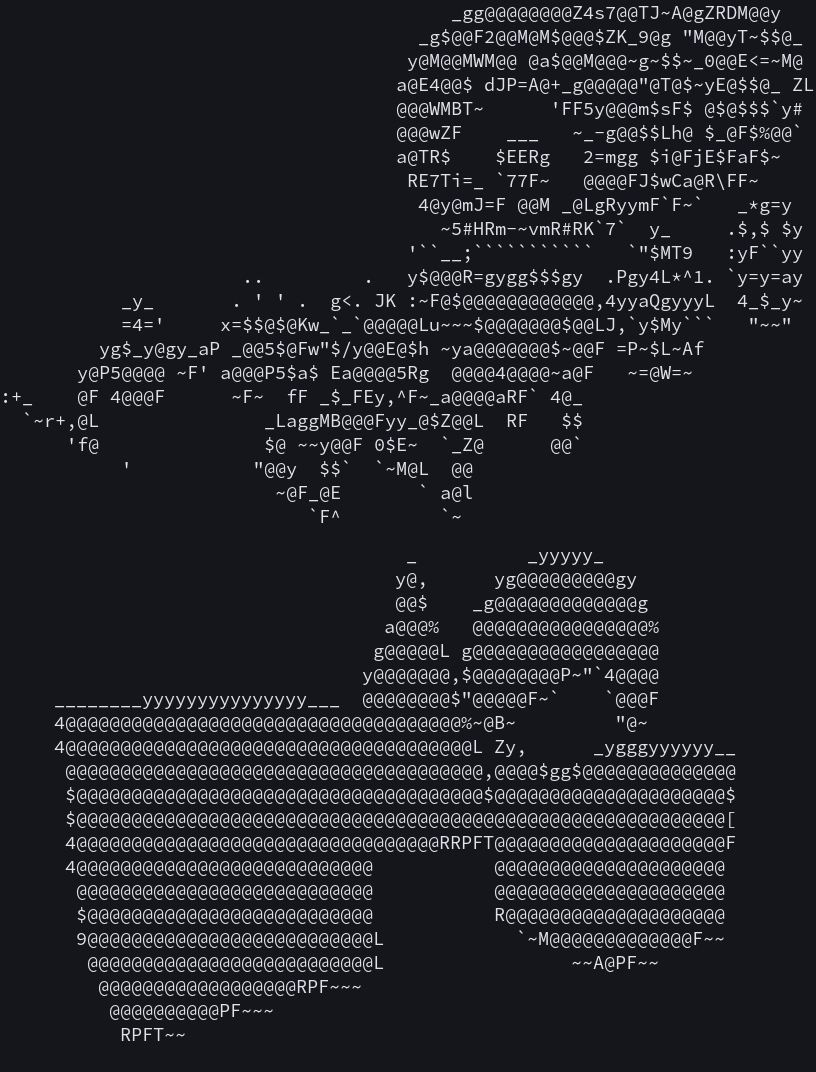
Simply trying every character and considering their entire bitmap, and keeping the character that reduces the distance to the target gives better results, at the cost of more CPU.
This is a well known problem because early computers with monitors used to only be able to display characters.
At some point we were able to define custom character bitmap, but not enough custom characters to cover the entire screen, so the problem became more complex. Which new character do you create to reproduce an image optimally?
And separately we could choose the foreground/background color of individual characters, which opened up more possibilities.
I'd probably arrive at a very different solution if coming at this from a "you've got infinite compute resources, maximize quality" angle.
For example, limiting output to a small set of characters gives it a more uniform look which may be nicer. Then also there’s the “retro” effect of using certain characters over others.
Reminds me of this underrated library which uses braille alphabet to draw lines. Behold:
https://github.com/tammoippen/plotille
It's a really nice plotting tool for the terminal. For me it increases the utility of LLMs.
The code for this post is all in PR #15 if you want to take a look.
I am however am struck with the from an outsider POV highly niche specific terminology used in the title.
"ASCII rendering".
Yes, I know what ASCII is. I understand text rendering in sometimes painful detail. This was something else.
Yes, it's a niche and niches have their own terminologies that may or may not make sense in a broader context.
HN guidelines says "Otherwise please use the original title, unless it is misleading or linkbait; don't editorialize."
I'm not sure what is the best course of action here - perhaps nothing. I keep bumping into this issue all the time at HN, though. Basically the titles very often don't include the context/niche.
More seriously, using colors (not trivial probably, as it adds another dimension), and some select Unicode characters, this could produce really fancy renderings in consoles!